
Sales tools that show patients the difference
Patients choose what they can see. OptikamPad turns lens options and frames into interactive demonstrations, so patients understand the value of what you recommend.
OptikamPad
Sales Tools
Lens Demos
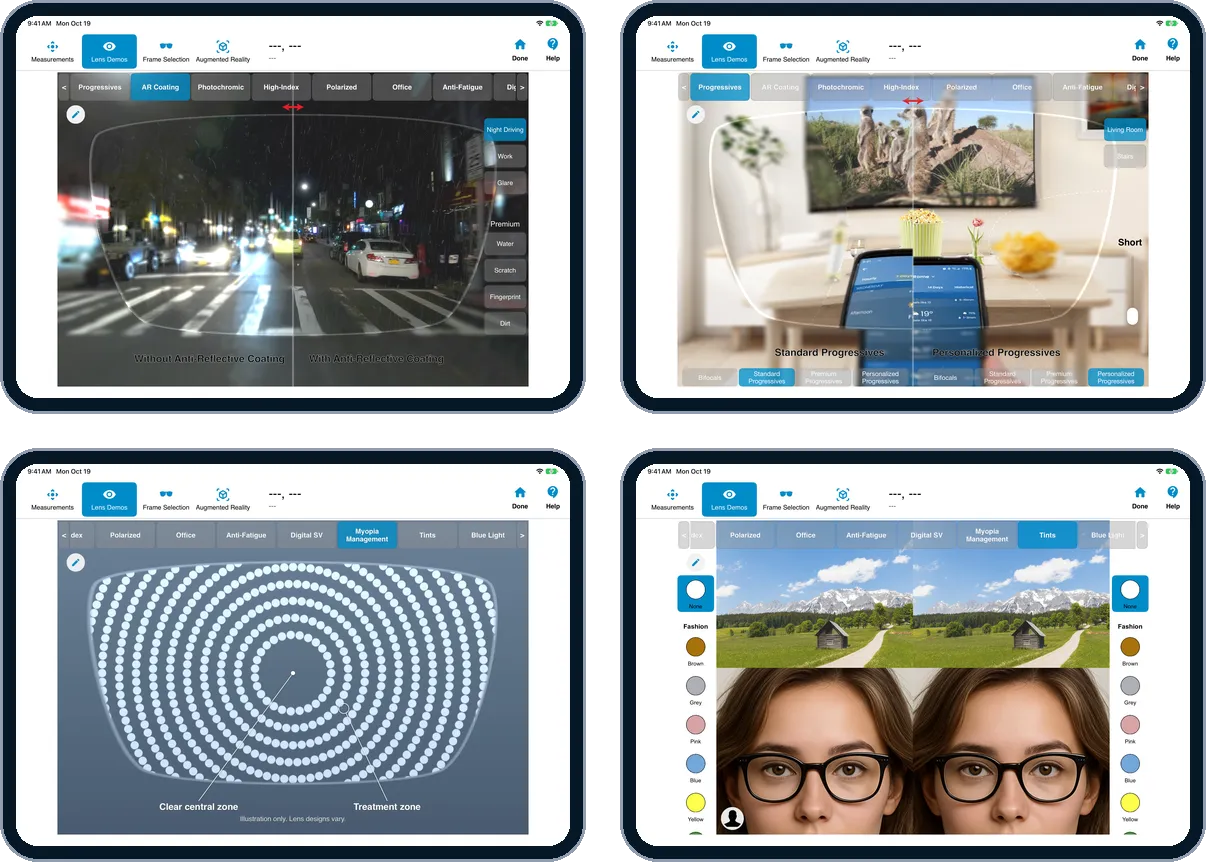
Verbalizing the benefits of premium lens products and options can be a difficult task for ECPs. It can also be time consuming and not to mention confusing for patients.
This is especially true when the tools currently available for demonstration are static in nature. The OptikamPad Lens Demos module offers ECPs a quick and interactive way to educate patients on their vision's well-being. By assisting ECPs in expanding their offering of premium lenses, patients will clearly see the value of the products being recommended.
Augmented Reality
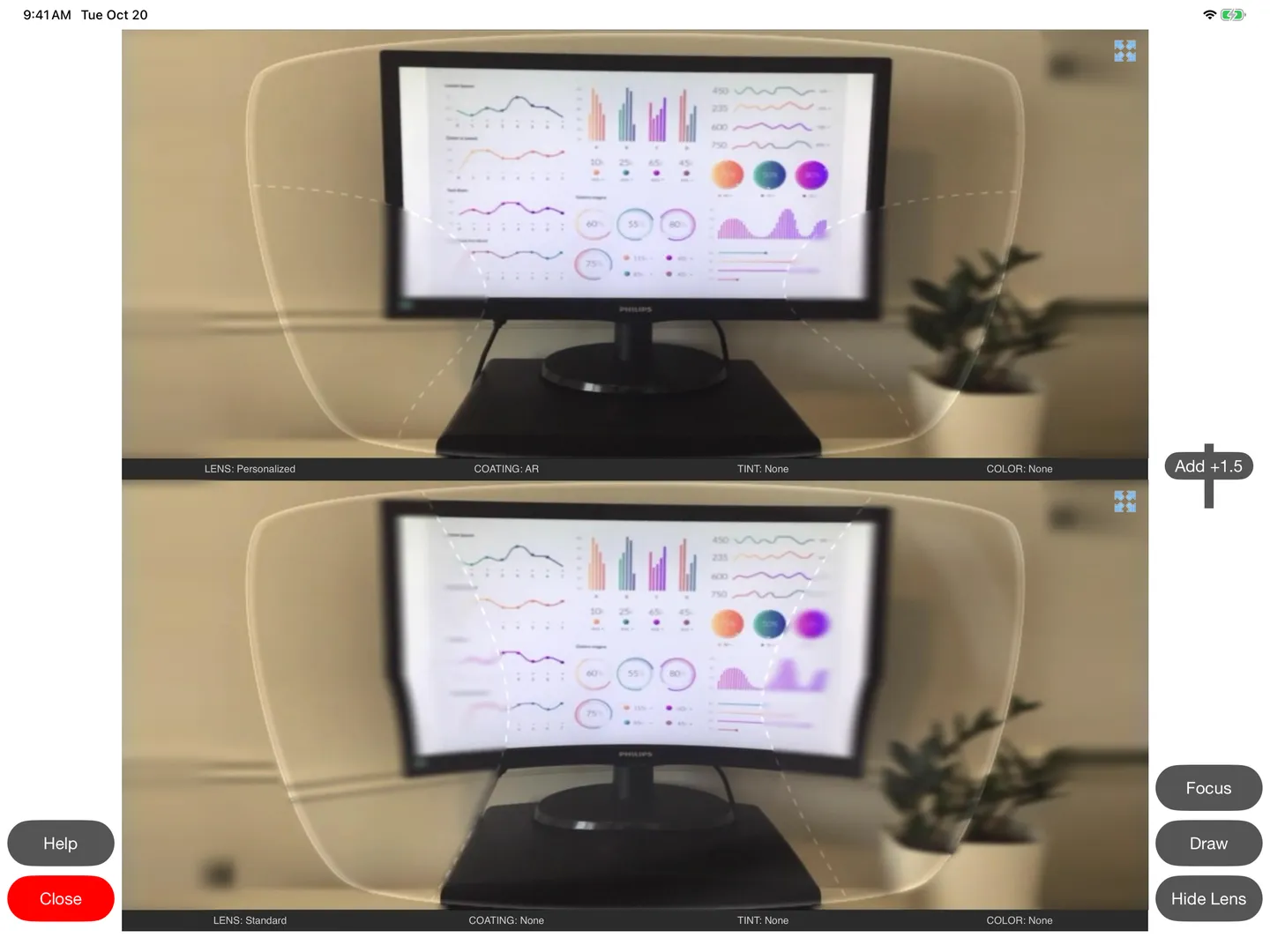
What if you could offer your patients a glimpse of how premium lens options can enhance their vision before they purchase their lenses?
The Augmented Reality module assists ECPs in building the lens combination of their patient's choosing. This module allows patients to see how different lens options will impact their vision — whether they spend a day in the office to a night out on the town. The OptikamPad's video mode even allows patients to choose a live view with the lens options of their choice in or outside of your office.
Frame Selection
When a mirror and a smartphone camera are simply not enough!
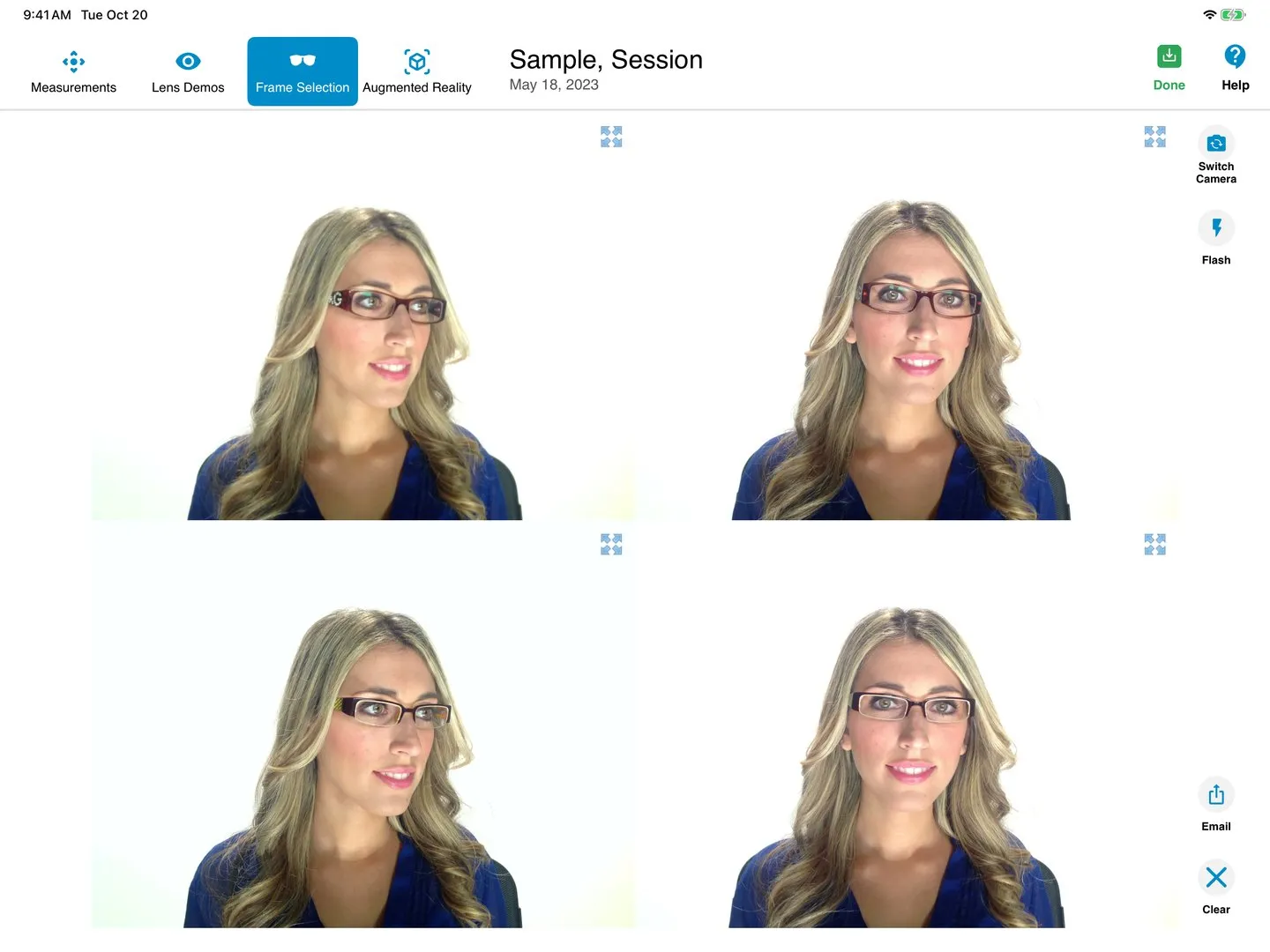
OptikamPad's Frame Selection module allows ECPs to help their patients overcome hesitations associated with the selection of new frames. Customers who cannot see themselves clearly in a mirror without their prescription are provided an opportunity to do so after their pictures have been taken.
The side-by-side image comparison of up to eight frames exposes the customer to frames of different styles, resulting in an increase in multiple-frame sales. Obtaining an instant second opinion from loved ones is an email away!
Training Videos
FAQ
Frequently Asked Questions
How does OptikamPad improve the patient experience?
It modernizes the dispensary by replacing manual tools with an interactive tablet experience, allowing patients to see themselves in different frames via side-by-side photos and visualize lens enhancements like Anti-Reflective (AR) coatings, progressive lens designs or photochromics in real-time.
Can Optikam demonstrate lens thickness?
Yes. The Lens Demo module allows patients to compare the thickness of different indices (e.g., 1.50 vs. 1.67) using their actual prescription and chosen frame.
Does the software help with frame selection for high-Rx patients?
Yes. Patients who can't see themselves in the mirror without their glasses can use the Frame Selection module to see high-resolution photos of themselves in up to eight different frames.
What is the Augmented Reality (AR) module?
The AR module uses the iPad camera to overlay lens effects (like polarized filters or anti-reflective coatings) onto a live view, helping patients understand the value of premium add-ons.
Can I email the photos to my patients?
Yes. The system allows you to email frame selection photos directly to the patient, encouraging them to share with friends and family (and increasing your brand exposure).
See OptikamPad in your practice.