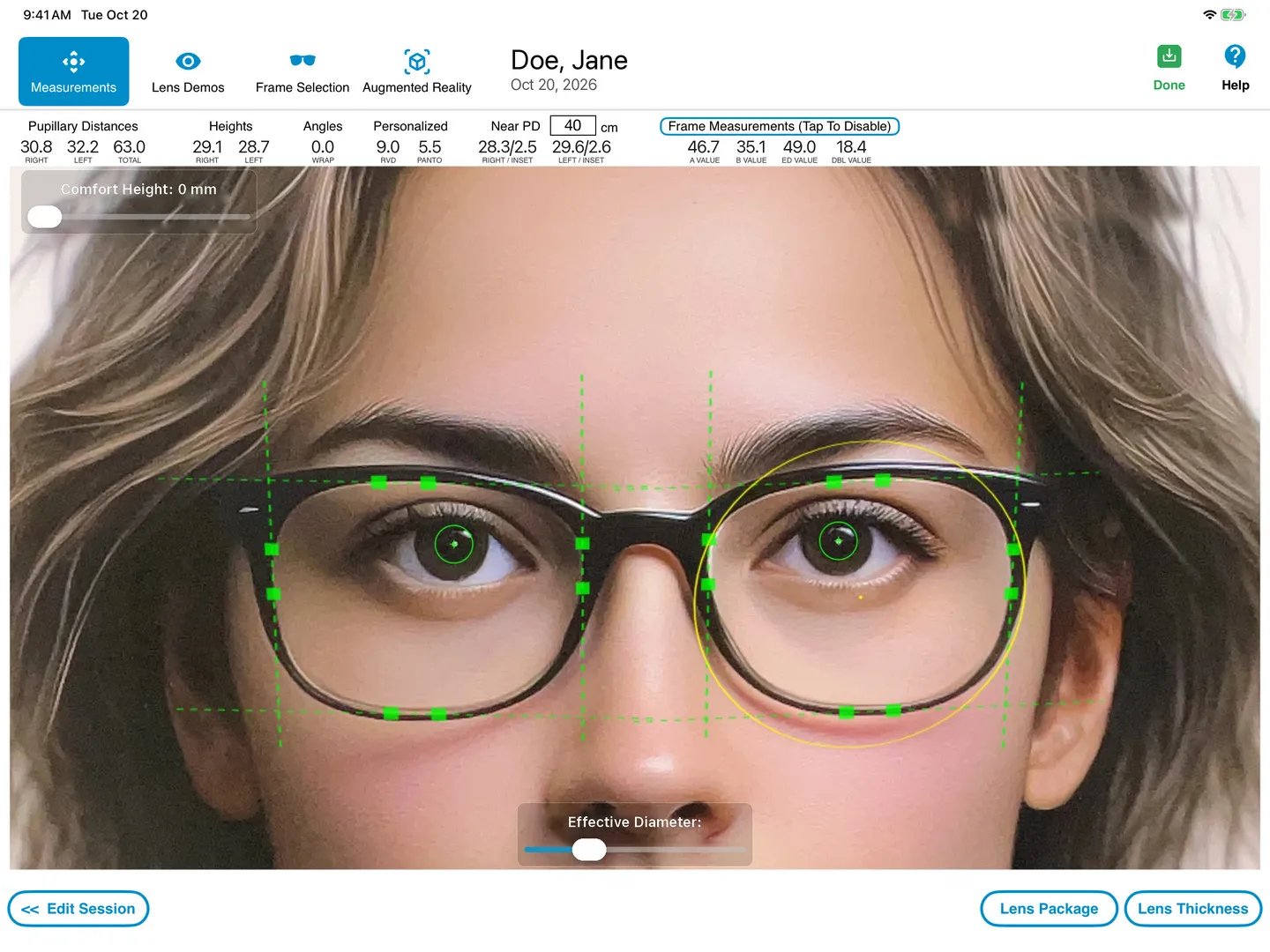
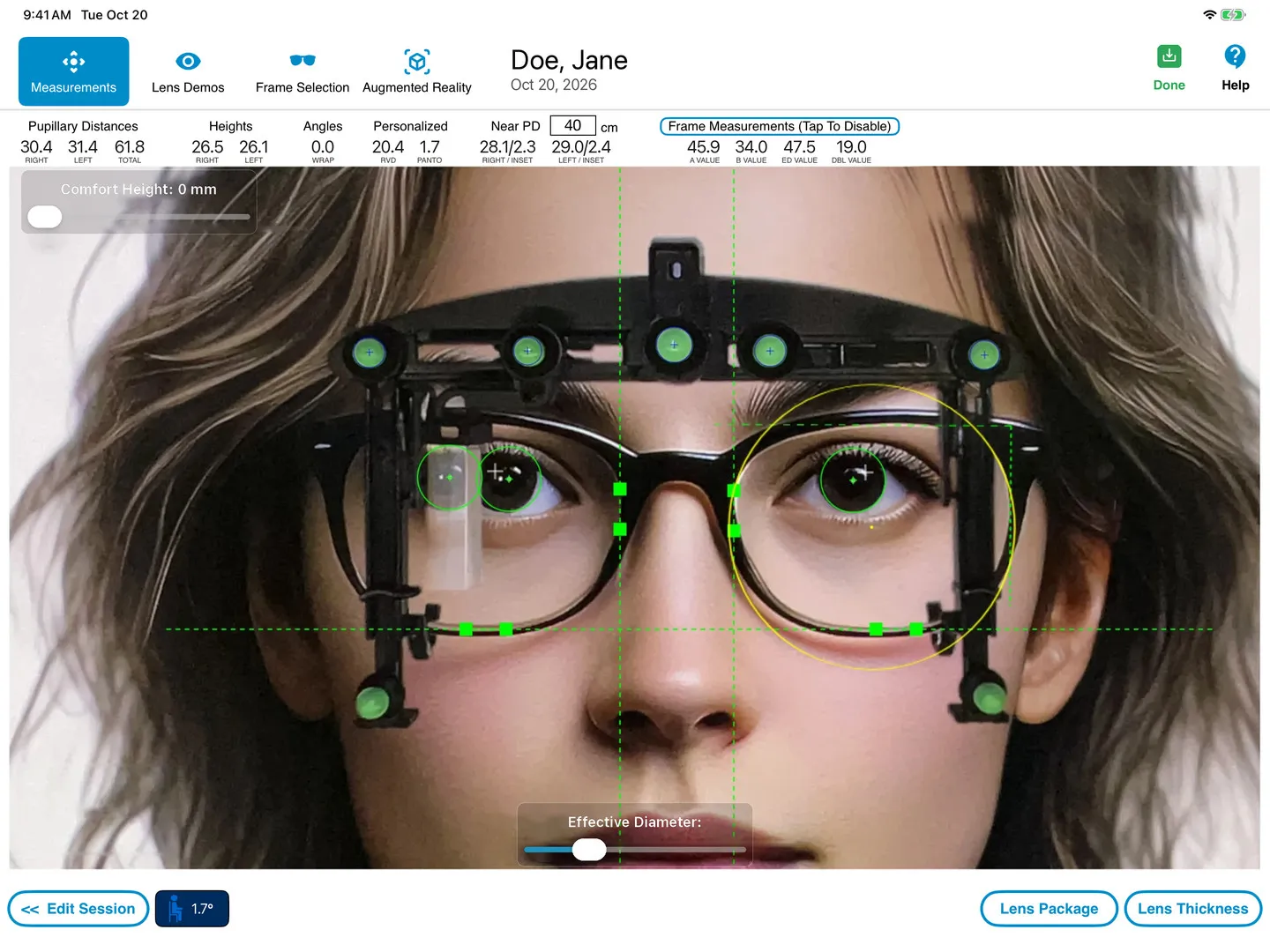
OptikamPad captures the measurements a modern lens needs: monocular PDs, multifocal fitting heights, pantoscopic tilt, rear vertex distance, wrap angle, near PD and frame dimensions. Take them from a single frontal photo with the Optikam Posture Device on the frame, or without a device using the iPad's LiDAR sensor.
Measurements
Device or No Device... Have it Your Way.
Optikam's eyewear measurements take into account how the frame will be worn by the patient once dispensed.
These personalized “as-worn” measurements allow lens designs to be customized to take into account Vertex Distance, Pantoscopic Tilt and Frame Wrap.
As-worn measurements improve monocular Pupillary Distance measurements as well. The Pupilometer measures the monocular Pupillary Distances anatomically based on the center of the patient's face, whereas OptikamPad will obtain monocular Pupillary Distances using the mid-point of the frame which takes into account the frame fit and possible nose pad adjustments.
Take advantage of our patented LiDAR technology to measure without the need to place a device on the eyewear. Take advantage of the added flexibility, while maintaining measurement precision and accuracy.
Our patented Optikam Posture Device is the only solution that allows ECPs to monitor, analyze and capture customer's posture with ease and confidence. Reduce remakes and redos ensuring great customer satisfaction.
Learn More: Pupil Center versus Bottom Pupil · Lens Verification · Lens Thickness
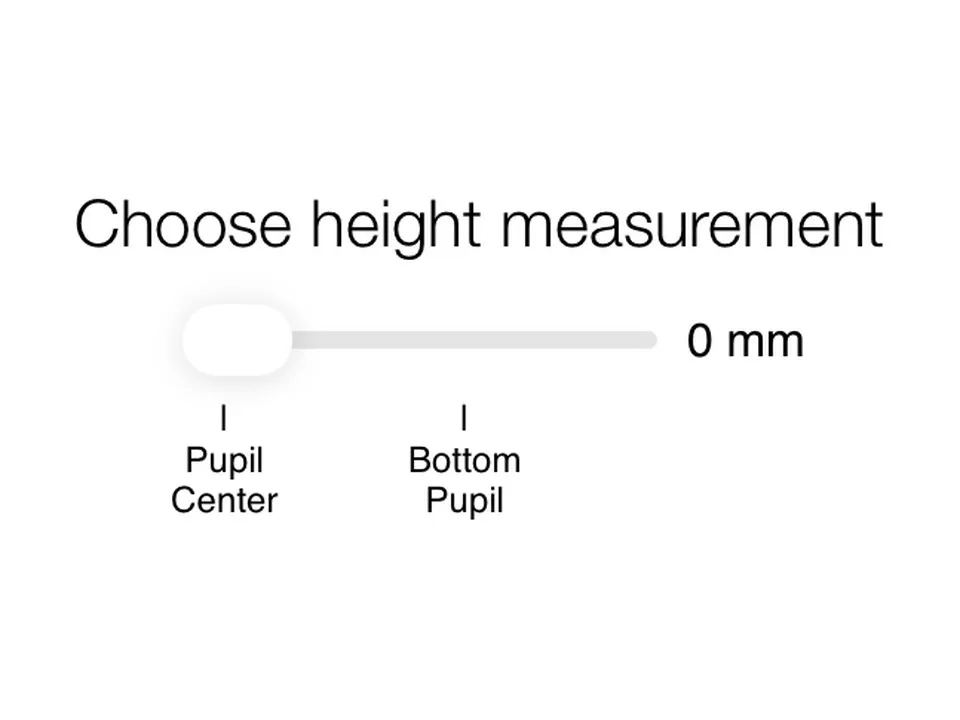
Pupil Center versus Bottom Pupil
Currently, the recommended industry standard set by lens manufacturers for dotting a patient is to use the pupil center. Most ECPs will perform this step according to their professional judgment and experience. OptikamPad can follow an ECP's current practice of either measuring from the Pupil Center or use OptikamPad's Comfort Height setting to measure at the Bottom Pupil mark. With OptikamPad, the ECP is always in control.
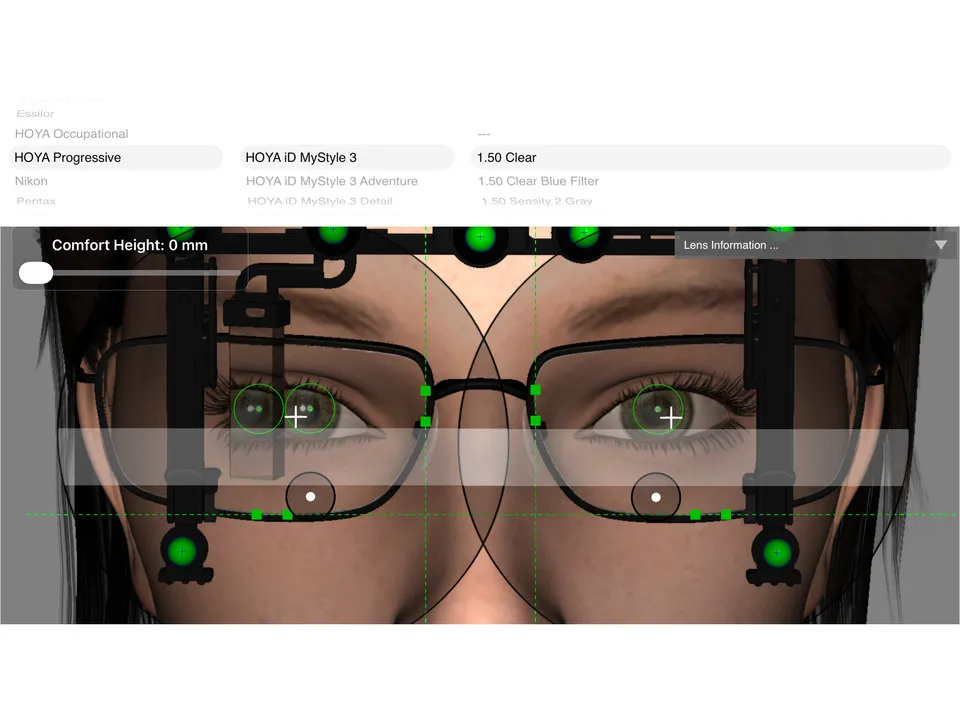
Lens Verification
OptikamPad provides the ECP with the ability to overlay progressive addition lens (PAL) designs from all major lens manufacturers. If the selected PAL does not provide sufficient reading area, the software will alert the ECP that the lens will not properly cut out, eliminating the need for a verification call to the lab.
Lens Thickness
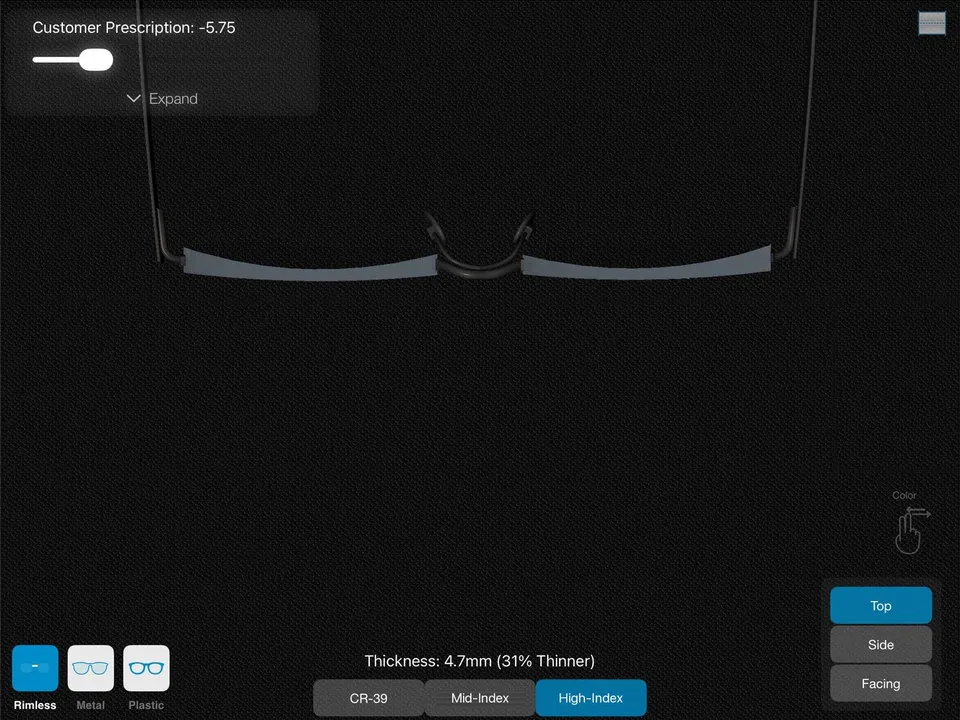
The Lens Thickness feature allows ECPs to simulate a patient's lens thickness taking into account the patient's decentration and frame measurements. The lens is shown in various indexes with the accompanying difference in thickness size.
Training Videos
FAQ
Frequently Asked Questions
What specific measurements does OptikamPad capture?
It captures Monocular PDs, Multifocal Fitting Heights, Pantoscopic Tilt, Rear Vertex Distance (RVD), Wrap Angle (Face Form Tilt), Near PD, and Frame Dimensions (A, B, ED, DBL).
What are "As-Worn" measurements?
"As-Worn" measurements account for the unique way a frame sits on a patient's face (tilt, wrap, and distance from the eye), allowing the lens laboratory to optimize digital progressive lenses for the patient's actual visual axis.
How does Optikam handle head rotation during measurement?
The software includes a built-in "Posture Indicator" and references on the OPD to ensure the iPad is perfectly parallel to the patient's face, eliminating parallax errors.
Is the system accurate for high-prescription or complex lenses?
Yes. By capturing the corneal reflection and correcting for convergence and tilt, Optikam provides the precise centration required for Freeform digital lenses.
Why is one photo better than multiple exposures?
A single photo ensures all measurements are taken at the same moment using the patient's natural posture, preventing the "measurement drift" that occurs when a patient moves between separate readings.
What is the Optikam "No-Device" measurement mode?
The "No-Device" mode uses patented LiDAR technology and Time-of-Flight (ToF) sensors on compatible iPads to capture essential ophthalmic measurements—like PDs and fitting heights—without requiring the patient to wear a physical reference clip or the OPD on their frames.
How does LiDAR technology ensure accuracy without a physical reference?
Standard tablet cameras take 2D photos, which require a physical object (like a ruler or a reference clip) to establish scale. Optikam’s LiDAR solution uses laser pulses to create a 3D depth map of the patient’s face, allowing the software to calculate exact distances and measurements based on actual 3D coordinates rather than just pixels.
Which measurements can be captured using the LiDAR "No-Device" mode?
The LiDAR system is optimized for capturing Pupillary Distance (PD), segment heights, and basic Frame Measurements (A, B, DBL). For advanced "Position of Wear" measurements like Rear Vertex Distance (RVD) and Pantoscopic Tilt, the software uses improved LiDAR algorithms and a second or third image to provide the additional position-of-wear measurements.
When should I use LiDAR vs. the OPD?
* Use LiDAR: For quick, frictionless measurements for single-vision lenses, low-power progressives, or when a patient is hesitant about hardware clips. It is also ideal for maintaining distance in a "touchless" dispensing workflow.
Does the LiDAR system require a specific iPad model?
Yes. To utilize the patented "No-Device" measurements, you must use an iPad equipped with a LiDAR scanner (currently available on iPad Pro 11-inch (2nd gen+), iPad Pro 12.9-inch (4th gen+).
Is the LiDAR scan safe for the patient’s eyes?
Absolutely. Optikam’s system utilizes low-level, eye-safe laser pulses that are standard in consumer electronics. It is a passive scan that does not require the patient to look into a bright light.
What is the patented OPD?
The Optikam Posture Device (OPD) is a proprietary hardware device that clips onto a patient's chosen frame to provide a fixed reference point, ensuring sub-millimeter accuracy for "Position of Wear" measurements that manual methods cannot replicate.
How long does it take to take measurements with Optikam?
A single frontal photograph captures 10 essential measurements in less than 60 seconds, significantly faster than using a manual pupillometer and marking lenses with a Sharpie.